M3U player
Your M3U playlist, beautifully organized
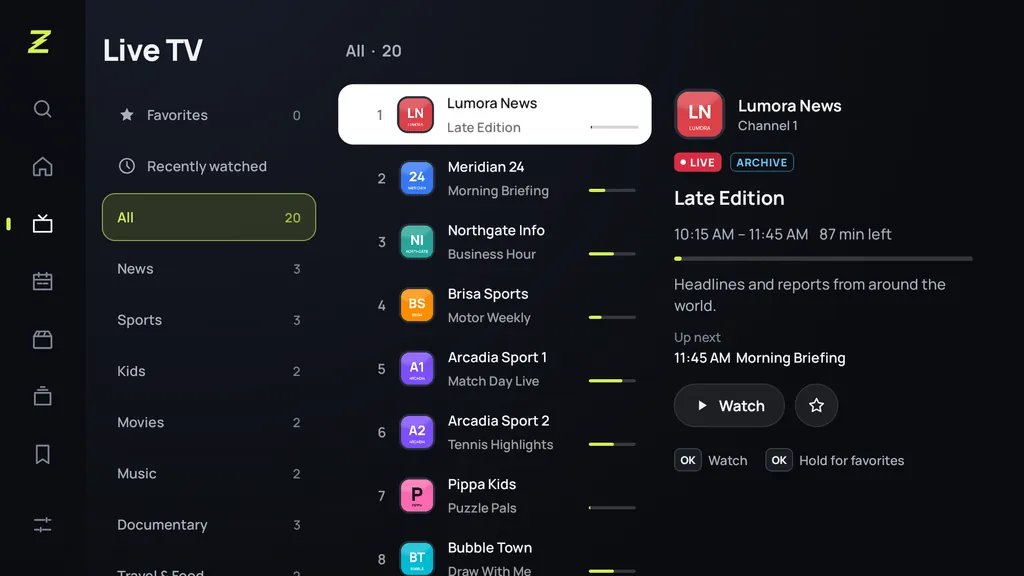
Paste an M3U or M3U8 link, or open a file. Zapvo turns it into channels, movies and series with a program guide, on Android TV, Google TV, phones and tablets.
What is an M3U playlist?
An M3U (or M3U8) playlist is a text file that lists streams: each entry has a name, a group and an address. IPTV providers usually give you an M3U link that contains your personal user name and password.
Many playlists also name a guide (url-tvg), logos (tvg-logo) and an archive (catchup). Zapvo reads all of these by itself.
Add it in three steps
Choose M3U playlist
In Zapvo, add a source and pick M3U playlist.
Paste the link or pick a file
On a TV, scan the code to type the link on your phone, or send the file from the phone.
Watch
Zapvo imports the list in seconds and finds the guide on its own.
Clean names, no duplicates
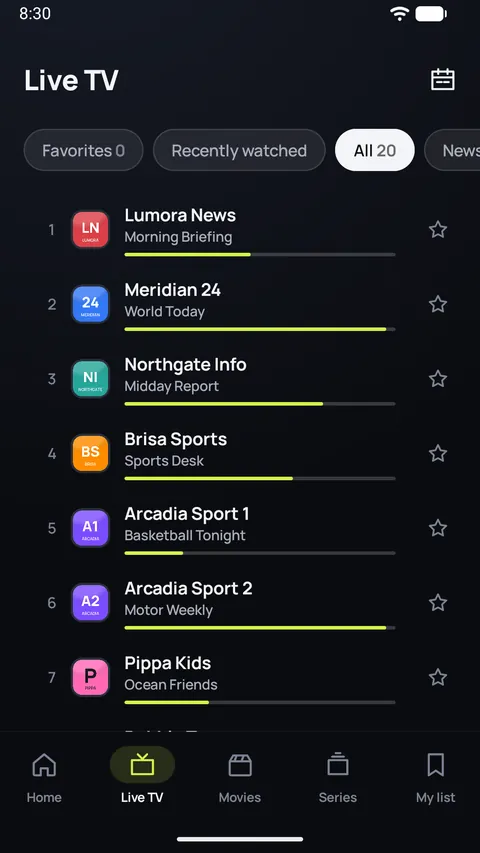
Playlists are often messy. Zapvo shows "Brisa Sports" instead of "|UK| BRISA SPORTS FHD", and merges the FHD, HD and SD copies of a channel into one entry with a quality choice. If one copy fails, it switches to another by itself.
- Country prefixes and quality tags removed from the display name
- The original name still found by search
- Groups become categories you can order and hide
Huge lists? No problem
Zapvo reads the playlist as a stream and never holds it all in memory, so lists with tens of thousands of entries import in seconds, even on a 1 GB TV box.
Good to know
Keep the link private
Your M3U link usually contains your password. Zapvo stores it encrypted; don't share it.
Refresh
Zapvo updates the list when you ask, and the guide every day.
User agent
Some providers need a specific user agent. You can set one for each source.
FAQ
Which playlists does Zapvo support?
M3U and M3U8 playlists from a link or a file, Xtream Codes accounts (server, user name and password) and Stalker portals (MAC address), plus XMLTV program guides. You can add several sources and switch between them.
My program guide is empty. What can I do?
Many playlists name their guide, and Zapvo loads it by itself. If yours doesn't, ask your provider for an XMLTV (EPG) address and add it to the source. If programs are an hour off, the guide uses another time zone. See the troubleshooting guide.
Can I watch programs that already aired?
Yes, when your provider keeps an archive (catch-up). Channels with an archive show an Archive badge, and past programs in the guide play with one press. It works with Xtream Codes, M3U catch-up attributes and Stalker portals.
Can Zapvo handle a very large playlist?
Yes. Zapvo is built for big lists. In our tests, an Android 7.1 TV box with 1 GB of memory imported 100,000 channels, movies and episodes in about 4.5 seconds, and lists with over 50,000 channels scroll smoothly.
Bring your playlist. Zapvo does the rest.
Install Zapvo, add your source and watch. Every feature is free for 30 days, no card needed.