Find the guide address
Look for an “EPG URL” or “XMLTV” link in your provider's email or customer area. Xtream Codes accounts usually bring their guide with them, so you may not need one.
Add it to your source
When you add an M3U link, enter it in Guide address (optional). For a source you already have: Settings › Sources, choose the source, then Edit.
Open the guide
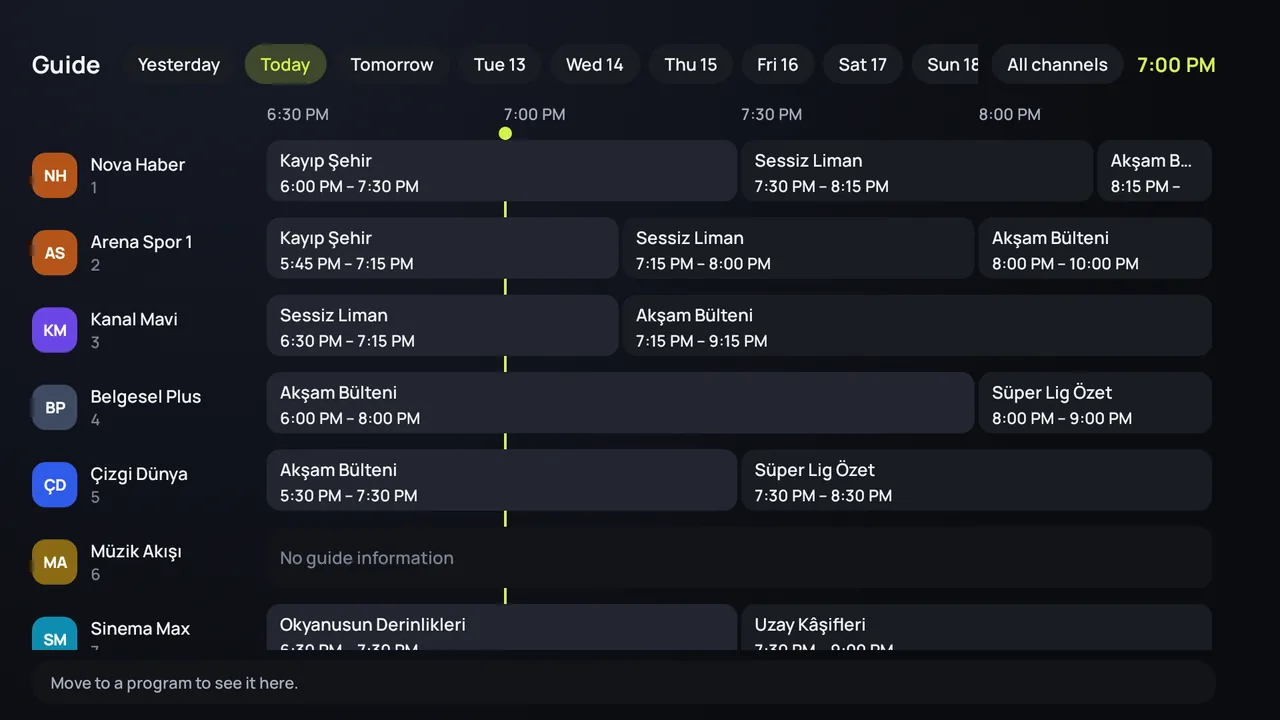
Open Guide: channels down the side, the day across. Choose a program for its details, a reminder or, where your provider keeps recordings, to watch it from the start.
What the guide looks like
On the TV the guide is a grid, on the phone a list. Channels without guide data still play; they simply show no program names.
The guide is empty
- Check the guide address and load the source again (Refresh in the source's details).
- A big guide takes a moment the first time.
- If only some channels have no guide, the guide doesn't cover them: add a second guide address.
Programs are at the wrong time
First check the device's date, time and time zone. If they are right, the guide was made for another time zone: ask your provider for one in yours.
How often is it updated?
Zapvo loads the guide again by itself once a day, and whenever you refresh the source.