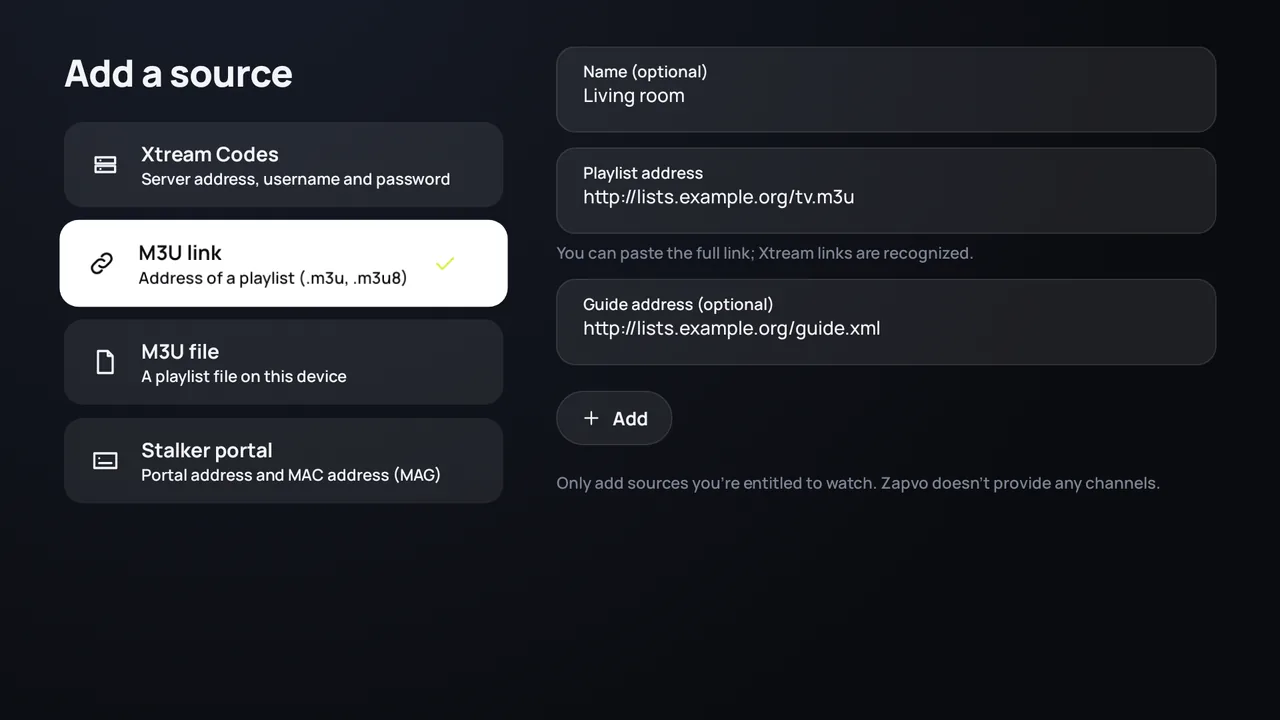
Open “Add a source”
The first time you open Zapvo, it opens by itself. Later you find it under Settings › Sources.
Choose “M3U link”
Use M3U link for an address that ends in .m3u or .m3u8 (or a get.php link), M3U file if the playlist is a file on your device.
Enter the address
Type or paste it in Playlist address. On a TV you can type it with your phone instead of the remote.
Add the TV guide if you have one
If your provider gave you an XMLTV (EPG) address, enter it in Guide address (optional). Many playlists bring their guide with them; then leave it empty.
Press “Add”
Zapvo loads your channels, films and series and shows what it found. A large playlist takes a little longer the first time.
Where do I find my M3U link?
Your IPTV provider sends it, usually by email or in their customer area, often called “M3U URL”, “playlist link” or “m3u_plus”. Zapvo doesn't sell or provide playlists: it plays the one you already have.
M3U link or Xtream Codes?
If your provider gave you a server address, a username and a password, add them as Xtream Codes instead: films, series and the account's expiry date come with them. See how to log in with Xtream Codes. Paste a link that contains a username and a password, and Zapvo offers to add it as Xtream Codes by itself.
The playlist doesn't load
- Check the address once more: one wrong letter is enough.
- Try again later or on another network: the provider's server may be busy.
- Some providers only accept a certain app identity; set the user agent they ask for in the source's settings.
- More help in the troubleshooting guide.
Only use playlists you may watch
Zapvo is a player and comes without channels. Use it with a playlist you're allowed to watch; see is IPTV legal?