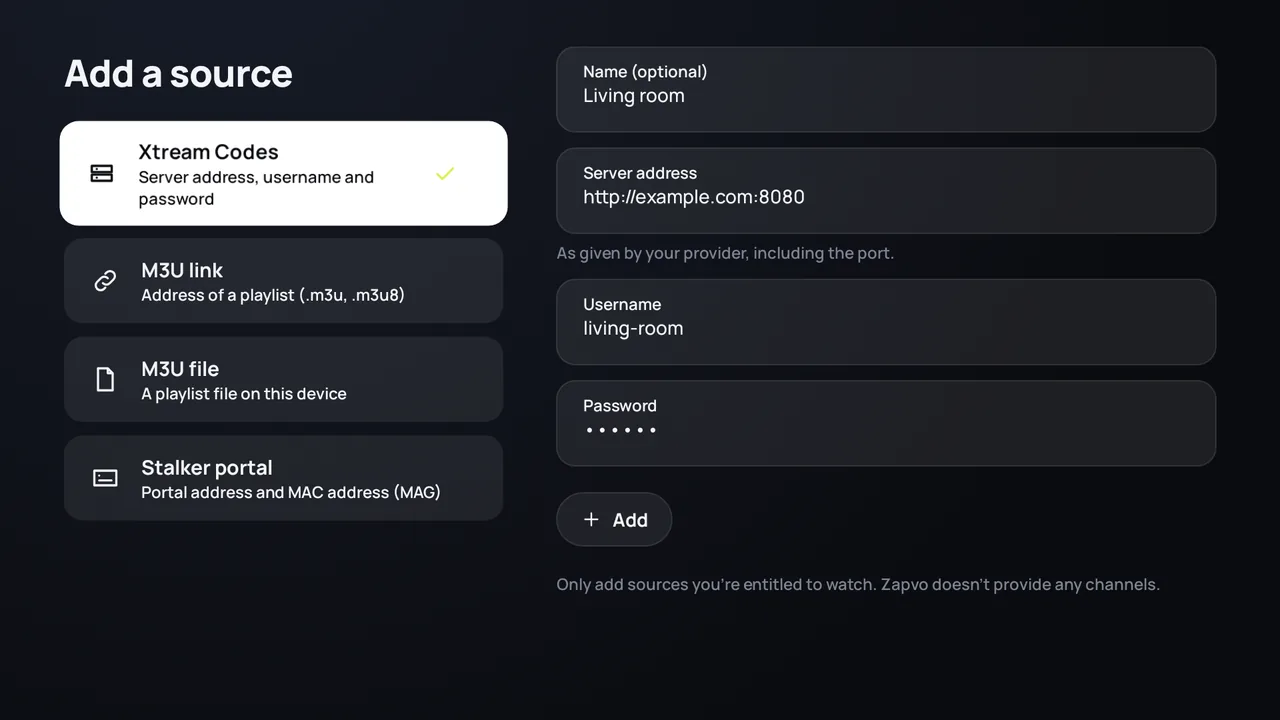
Open “Add a source”
The first time you open Zapvo, it opens by itself. Later you find it under Settings › Sources.
Choose “Xtream Codes”
It is the first choice. Give the source a name if you like, for example the room it is for.
Enter the server address
Type it in Server address exactly as your provider wrote it, with http:// or https:// and the port, for example http://example.com:8080.
Enter your username and password
In Username and Password. Capital letters matter.
Press “Add”
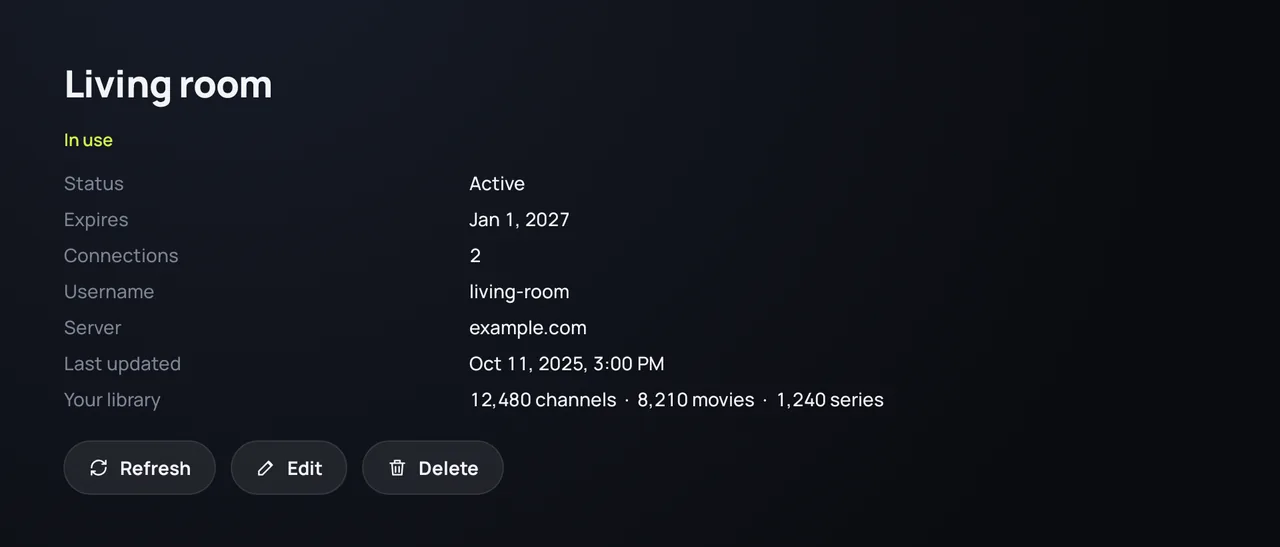
Zapvo signs in and loads your library. The source's details then show the account's status, its expiry date and how many devices may watch at the same time.
What you need
- The server address (the URL, with its port)
- Your username
- Your password
Your provider sends these. If you only have one long link with “username=” and “password=” in it, paste the whole link as an M3U link: Zapvo recognizes it.
See your subscription
Open Settings › Sources and choose the source: you see whether the account is active, when it expires, how many connections it allows and when it was last loaded. Refresh loads it again.
Login errors
- Wrong username or password: check for typing errors and capital letters, and that the subscription is still active.
- The server doesn't answer: check the port and http or https; the server may also be down for a while.
- Too many connections: the account is already playing on another device; stop it there or ask your provider for more connections.
Is my password safe?
Zapvo keeps passwords encrypted on your device and never sends them to us. When you sync your devices, they travel end-to-end encrypted.